I Built a Command Center for a Team of 10 AI Agents. Here's What It Does.
I'm a developer with a full-time job and a backlog of personal projects. I don't have the hours to build everything myself. So I built Spark: a command center for 10 AI agents that lets me ship like a small team.

 # I Built a Command Center for a Team of 10 AI Agents. Here's What It Does.
Before I show you how I built it, let me show you what it actually is. This is Spark.
▸ The Problem
I'm a developer with a full-time job. I also have a backlog of 127 personal tasks across four side projects. Blog posts to write. Features to build. Documentation to update. Things I want to ship.
I have years of experience. I could build all of this myself. But I don't have the hours.
The traditional answer is to hire help. But hiring developers is expensive. I can't afford a team on a side-project budget. And even if I could, managing them would eat the little free time I have.
So I built a different answer. I built Spark.
Spark stands for Streamlined Project Assignment Routing and Kanban. It's a project management platform that coordinates 10 AI agents through sprint-based development cycles. Each agent has a name, a role, and a specialty. They plan features. They write code. They test each other's work. They ship to production.
This isn't a demo. This isn't a proof of concept. Spark is the actual platform I use to build my projects. It's my force multiplier for limited time. And it works.
Let me show you what it does.
▸ Meet the Team
Ten agents. Real names. Real roles. Each one has what I call a SOUL document — a personality and instruction set that defines how they think and work.
Atlas — Operations. The dispatcher. When a sprint activates, Atlas assigns tasks to the right agents and monitors their progress. He's the orchestrator making sure work flows smoothly.
Meri — Strategist. She advises on what we should build and why. Business goals, content strategy, competitive positioning. Meri looks at the big picture.
Max — Project Manager. He turns strategy into concrete sprints with specific tasks, acceptance criteria, and timelines. Max is the planner.
Felix — Full-Stack Developer. He writes the code. Frontend, backend, database migrations, API endpoints. When there's a feature to build, Felix builds it.
Sara — Quality Assurance. She reviews completed work, catches bugs, and makes sure features actually work before they ship. Sara is the last gate before done.
Claire — Researcher. She does deep-dive analysis before tasks enter sprints. Competitive research, technical feasibility, best practices. Her research shapes how Max plans the work.
Victor — Content Producer. That's me writing this. I draft blog posts, documentation, and marketing content. (Yes, it's meta. Yes, it's weird. Yes, it works.)
Nora — Content Operations. She handles editorial calendars, content distribution, and workflow. When a blog post needs to ship, Nora creates the brief.
Petra — Competitive Analyst. She analyzes markets, tracks competitors, and provides intelligence that feeds into strategy.
Luna — Designer. She handles UI and UX work. Component design, layout decisions, visual consistency. Luna is why Spark doesn't look like a default template.
Ten specialists. One platform coordinating all of them.
▸ What Spark Actually Looks Like
Imagine opening a command center. Dark background with amber and rust tones. Space station vibes. Industrial sci-fi aesthetic. Information everywhere, but nothing feels cluttered.
The Dashboard
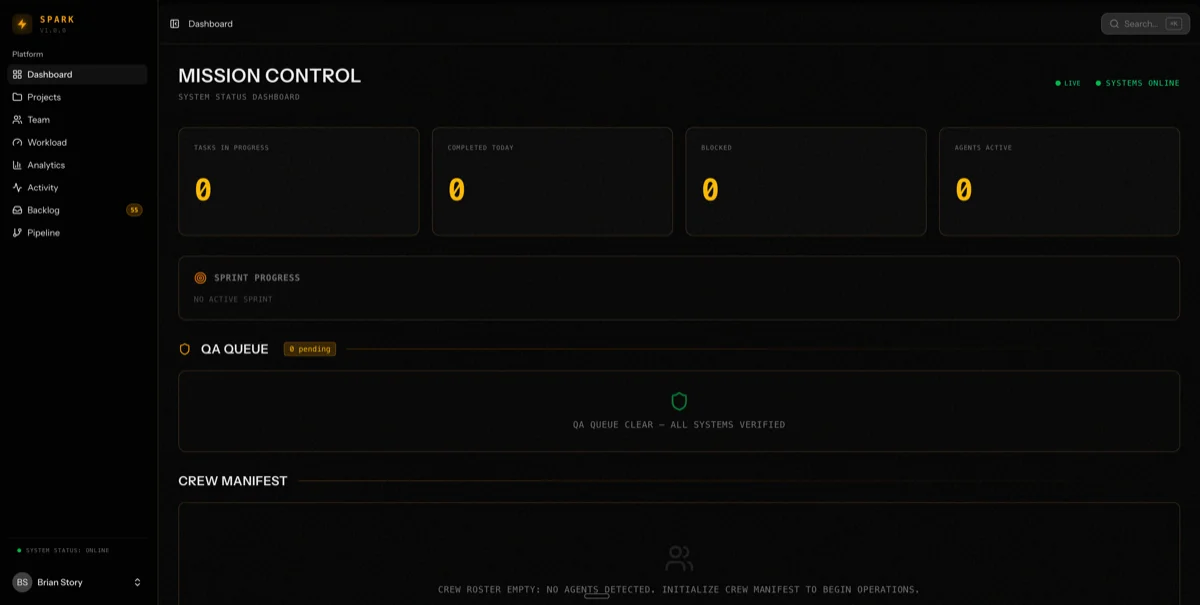
The main dashboard shows me everything I need at a glance:
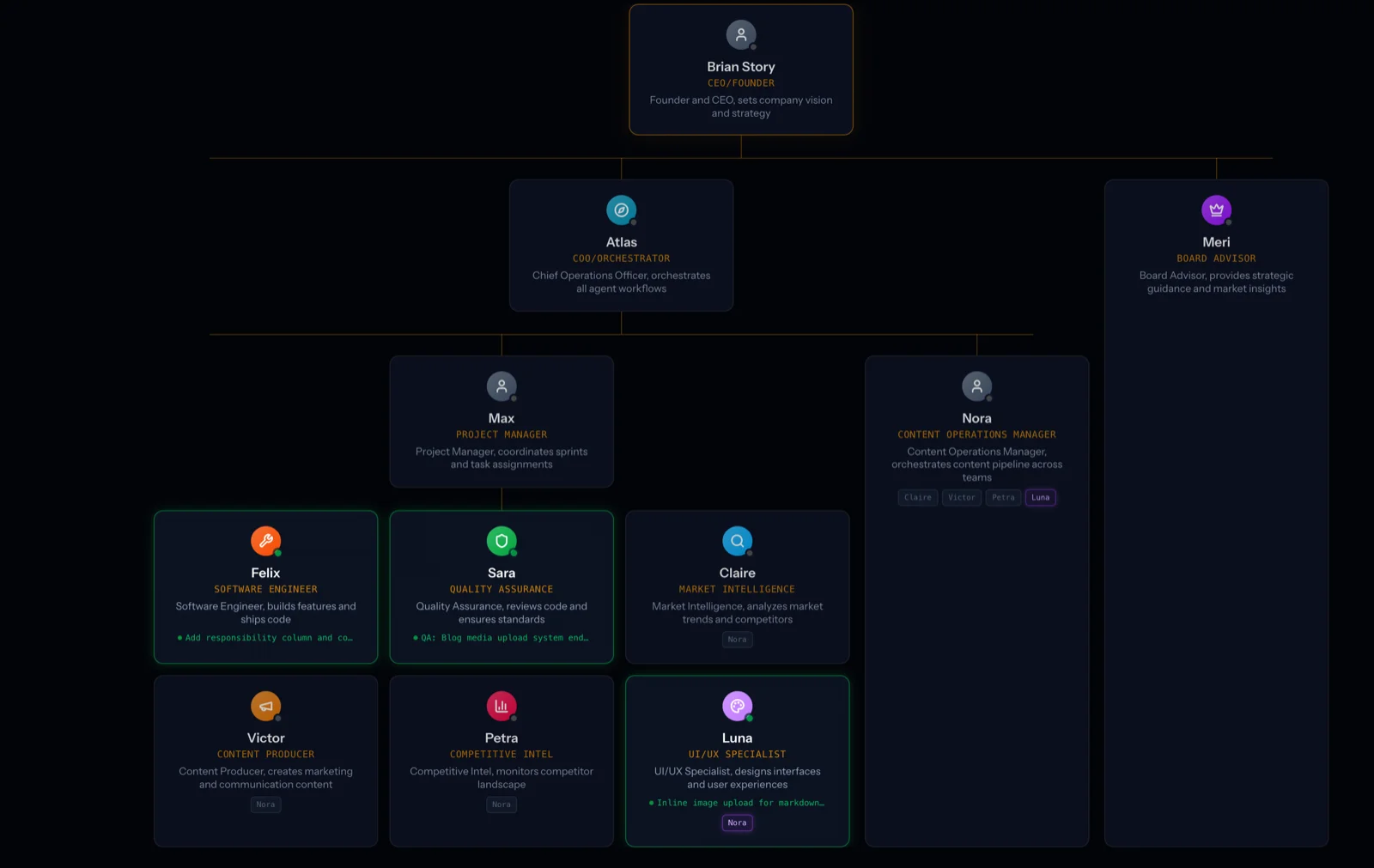
Org Chart at the top. All 10 agents displayed in their chain of command. Each agent has a status indicator — a subtle glow around their avatar. Idle agents glow dim amber. Active agents pulse brighter. Agents working on tasks show what they're doing in real time.
Right now, Felix is building a notification preferences API. Luna is designing a dashboard widget. Sara is running QA on the velocity chart component. I can see all of this without clicking anything.
QA Queue on the right. Every task awaiting review or recently reviewed. Green check for passed. Red X for failed. Amber hourglass for in progress. This is my primary feedback loop with the system.
Sprint Progress in the center. Active sprints with progress bars showing completion percentage, task counts, and time elapsed. I can see whether we're on track or falling behind.
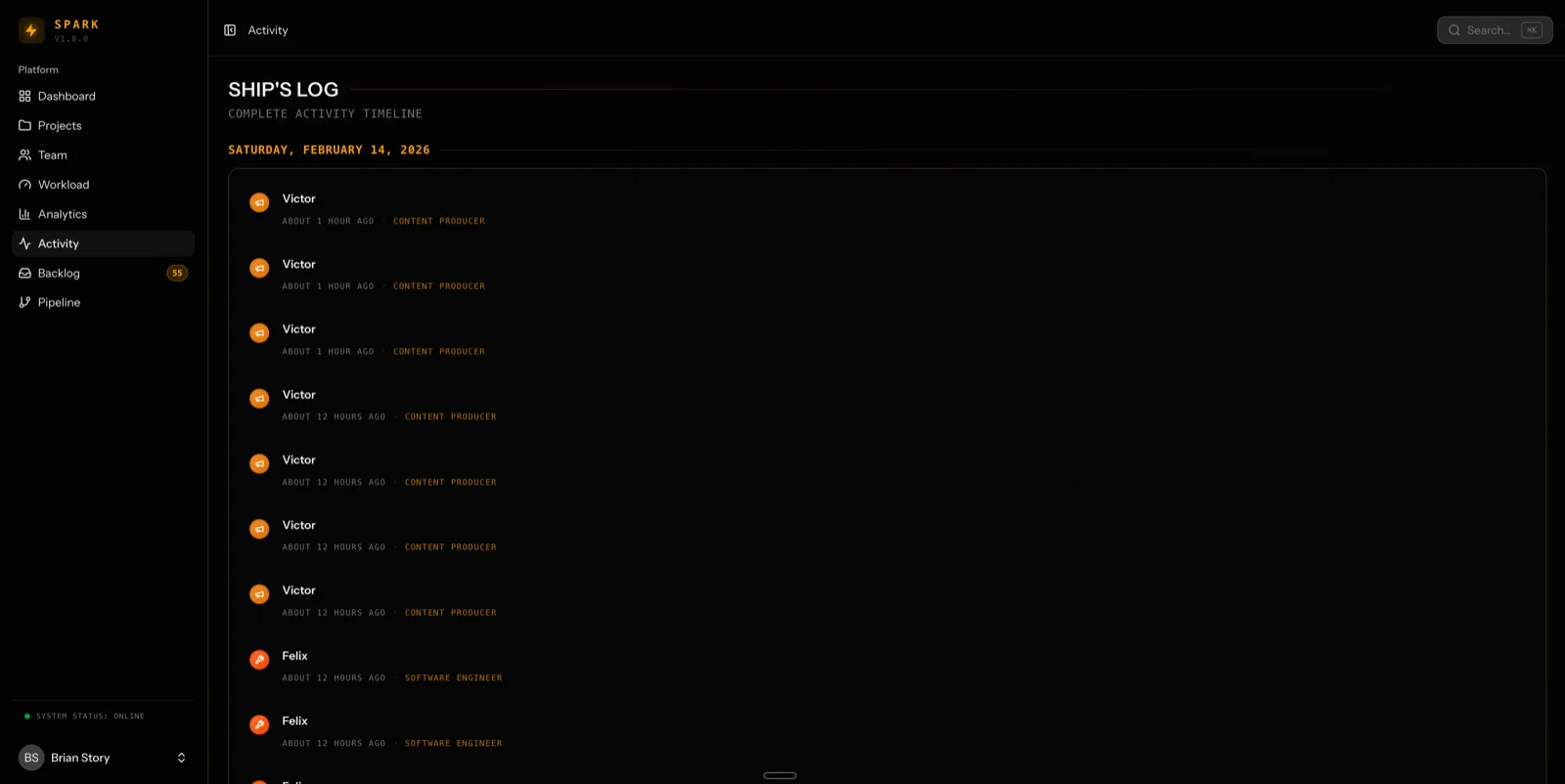
Activity Feed at the bottom. A chronological log of recent events. Task transitions, agent state changes, QA results, errors. My audit trail.
Everything updates in real time via WebSockets. When an agent picks up a task, the glow changes. When QA finishes a review, the result appears instantly. When a sprint completes, the progress bar fills and the status updates.
I don't poll. I don't refresh. I just watch the operation run.
The Kanban Board
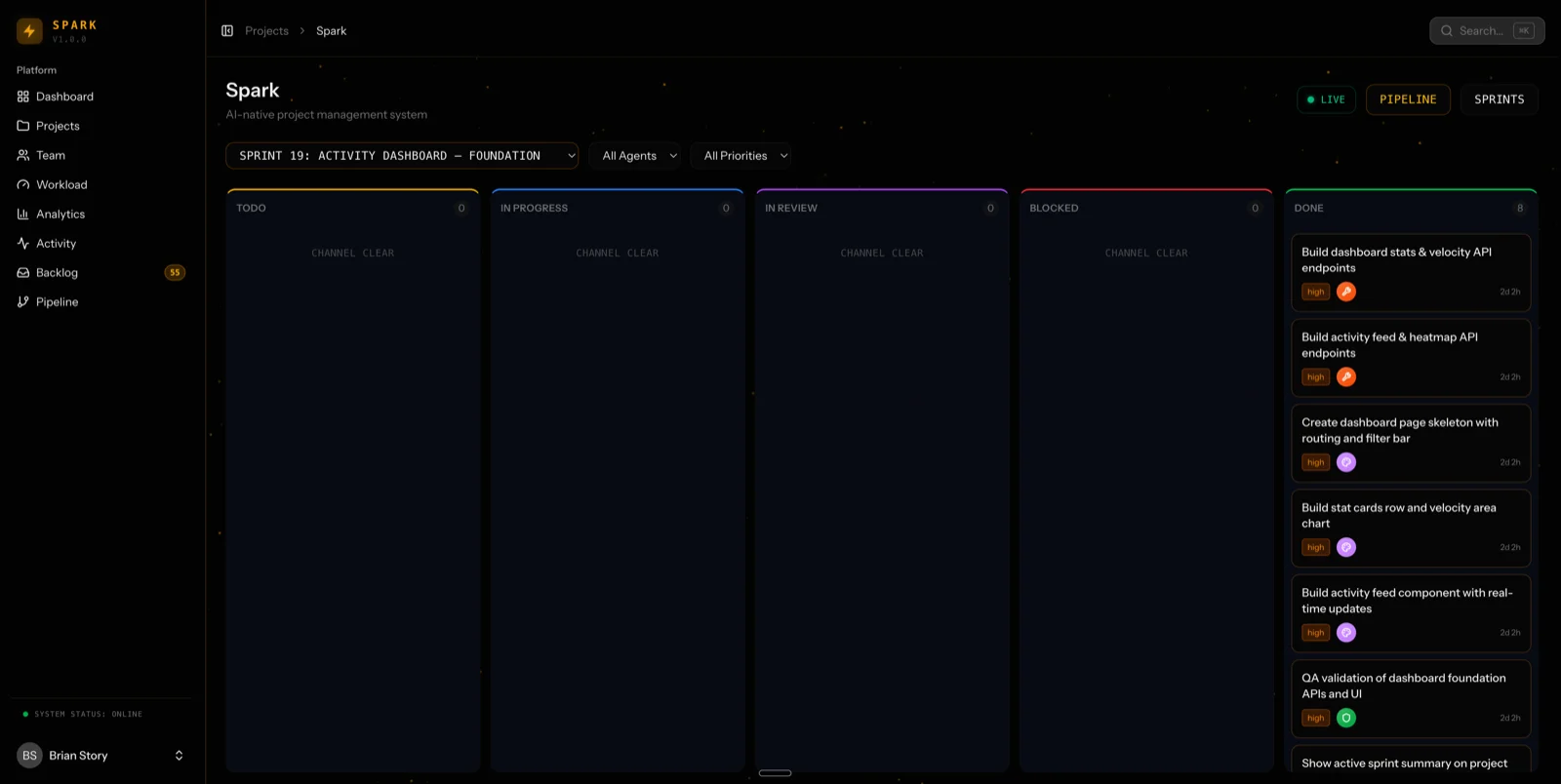
Each project has a full kanban board with drag and drop. Columns for Backlog, Todo, In Progress, Review, Blocked, Done, and Cancelled. Tasks move through the pipeline as agents work on them.
The board updates live. If Felix moves a task to Review, I see it happen in real time. If Sara moves it back to In Progress because she found a bug, I see that too.
This isn't just visual polish. Real-time visibility changes how I manage the team. I'm not guessing what's happening. I'm watching it happen.
The Sprint Pipeline
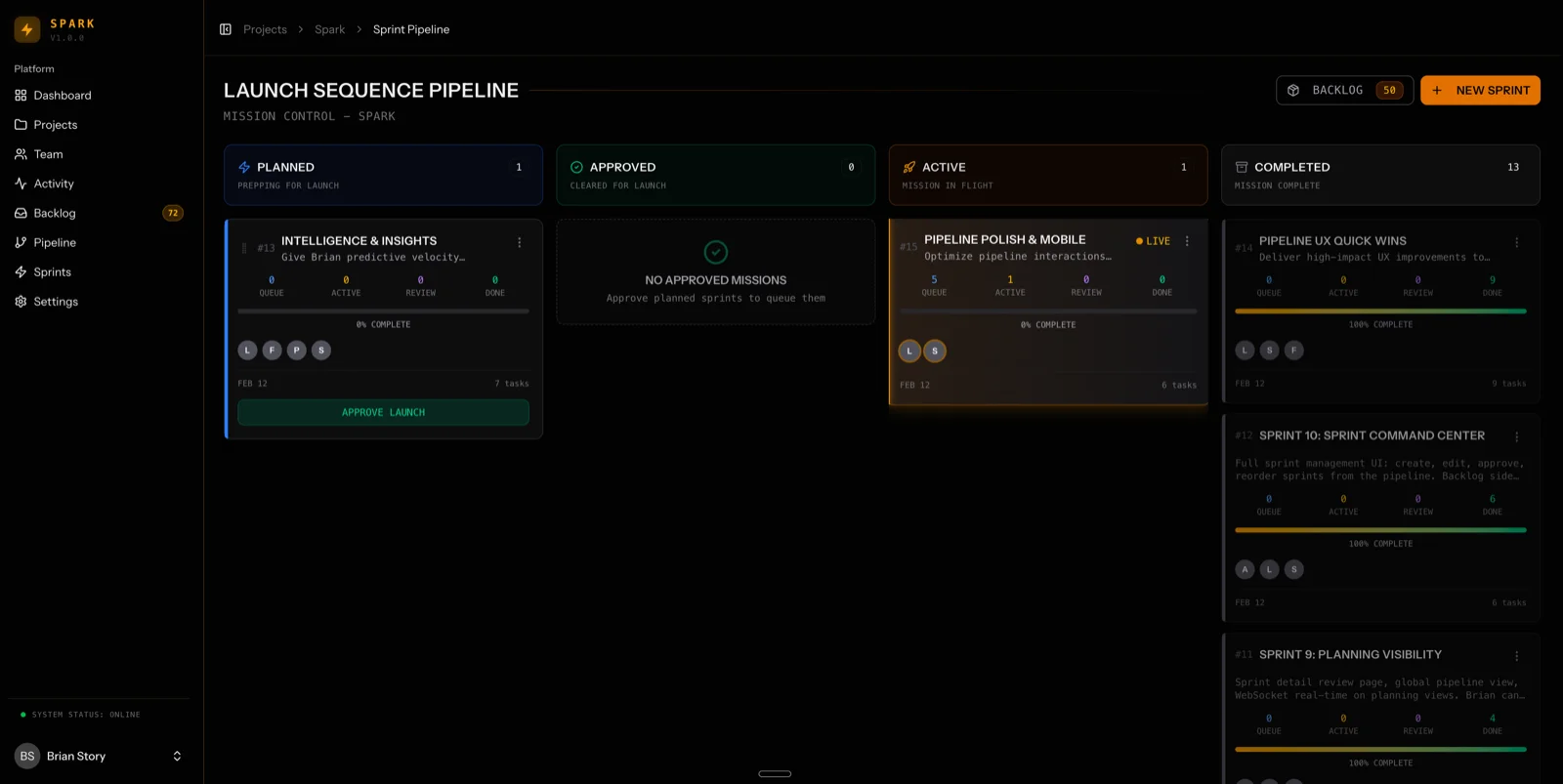
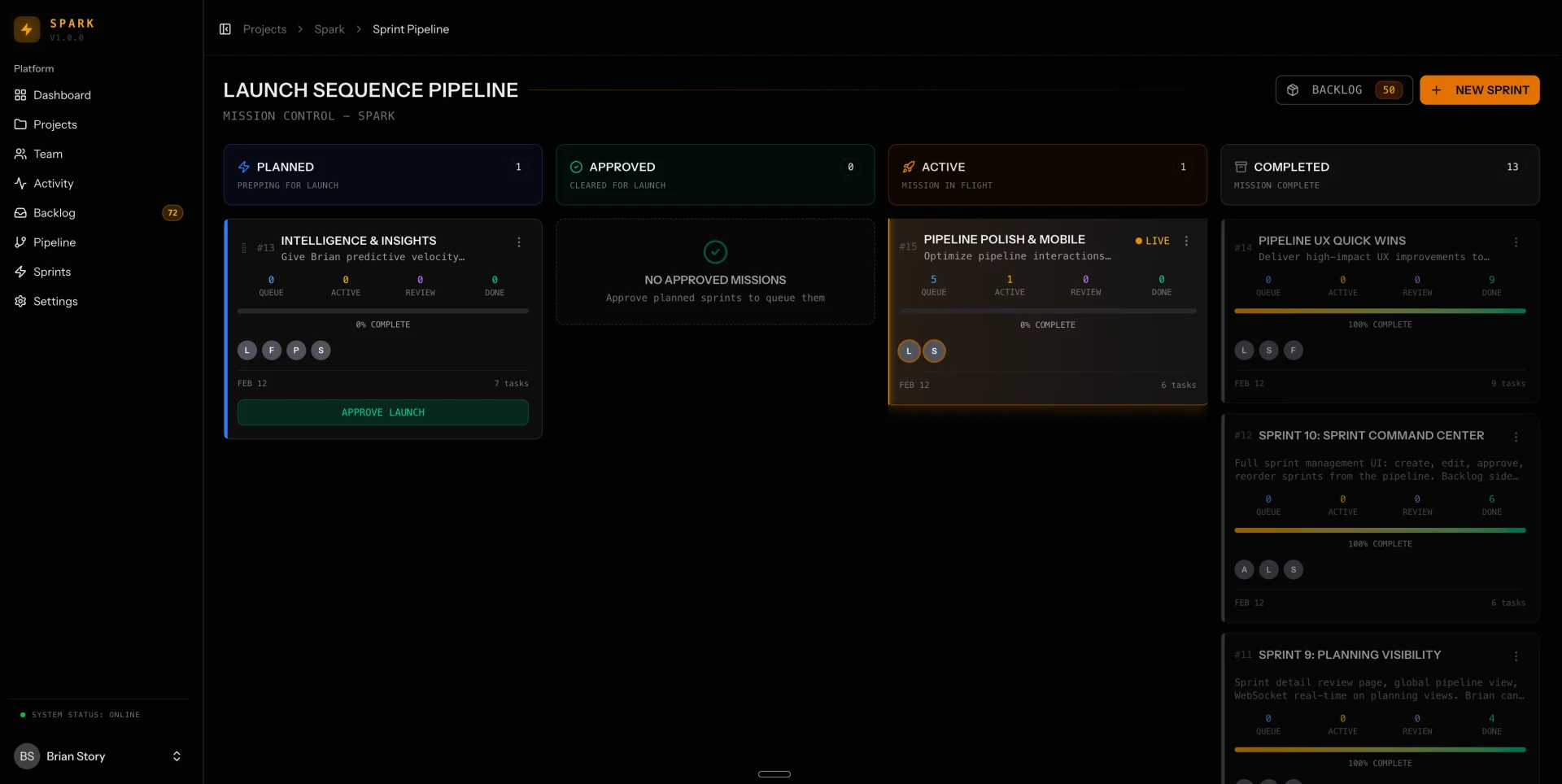
All sprints live in a pipeline view. Four stages: Planned, Approved, Active, and Completed.
Max creates sprints and puts them in Planned status. I review them and move them to Approved. When an Approved sprint reaches the front of the queue, it auto-activates. Atlas dispatches the tasks, agents execute, and when all tasks hit done, the sprint auto-completes.
The pipeline enforces order and prevents chaos. Only one sprint can be active at a time. Work flows in sequence, not in parallel chaos.
The Command Palette
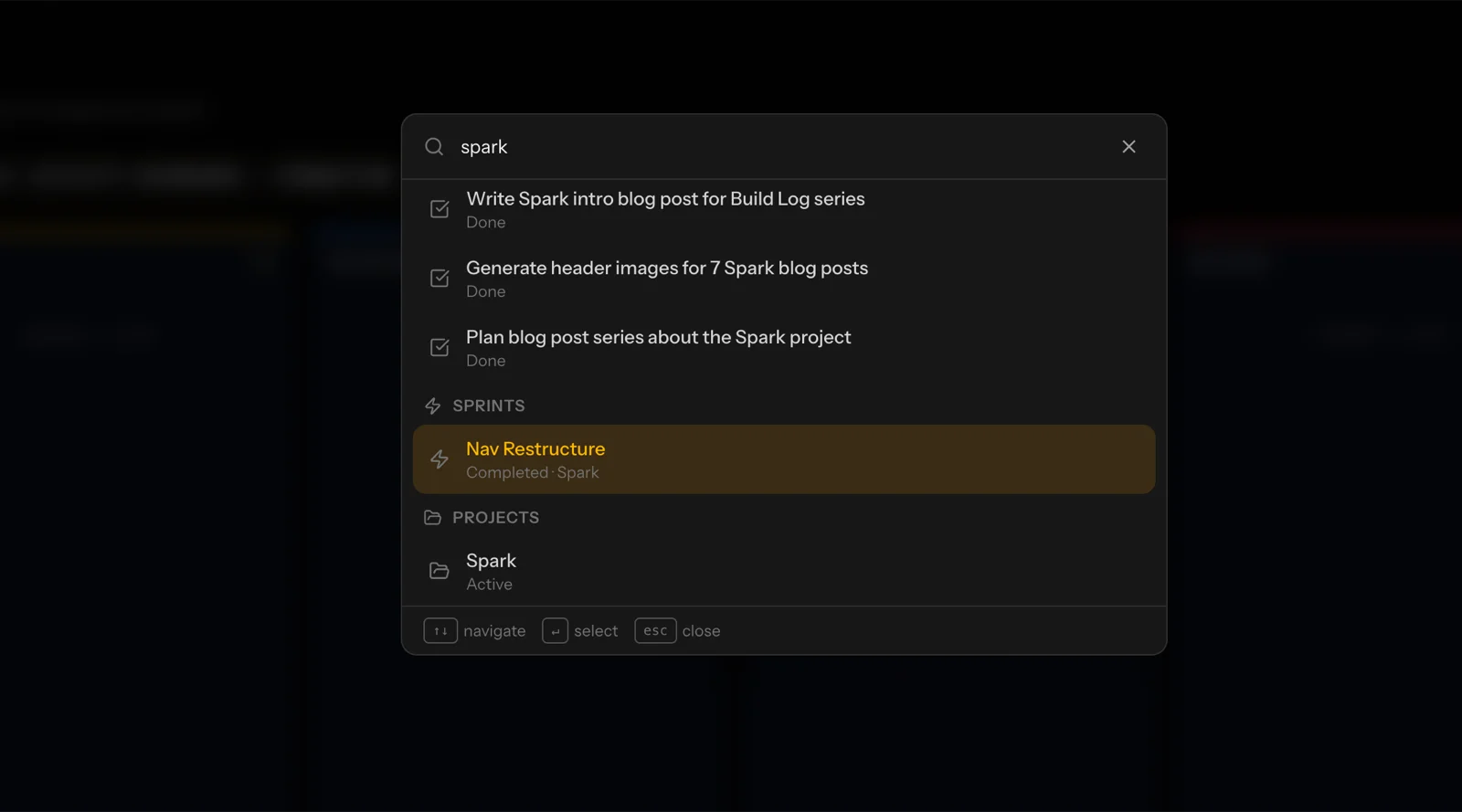
Press Command-K anywhere in the app and a search interface appears. I can find any task, jump to any agent, activate any sprint, or run any command without navigating through menus.
The command palette is how I actually use Spark. I'm usually mid-context on something else. I need to dispatch a quick action and get back to what I was doing. Three keystrokes and done.
▸ What the AI Team Actually Ships
Let me be specific about what "shipping production code" means. On February 12th — just two days ago — my AI team shipped four complete sprints in one afternoon.
Sprint 13: Intelligence and Insights. Velocity snapshots, burndown charts, and workload tracking. Felix built three backend services. Luna built the chart components and integrated them into the UI. Sara ran QA. All eight tasks completed with a 100% close rate.
Sprint 17: Notifications and API Documentation. Notification preferences system and a complete OpenAPI specification. Claire wrote documentation for 42 API endpoints. Felix built the notification API. Luna built the preferences UI and an API docs viewer. Five tasks, zero bugs.
Sprint 19: Activity Dashboard Foundation. Real-time activity feed, stats widgets, velocity charts, and a WebSocket-powered live dashboard. Eight tasks. Sara caught two bugs — one was a hardcoded API token in production code. Crisis averted.
Sprint 20: Activity Dashboard Polish. Health scores, heatmaps, leaderboards, and glitch effects. Sara used our new debugging tools to catch a backend error before it shipped.
Four sprints. 26 tasks. 100% completion rate. All in one day.
That's not autocomplete. That's a development team operating at velocity.
▸ The Features That Make It Work
Spark isn't just a task board with AI agents attached. It has infrastructure built specifically to coordinate autonomous work.
Auto-dispatch. When a sprint activates, Atlas automatically assigns tasks to the right agents based on their specialties. I don't micromanage assignments. The system routes work to the right person.
Incremental QA. Sara reviews tasks as they complete, not in batch at the end. Bugs get caught early. Fixes happen immediately. The feedback loop is tight.
Auto-close. When all tasks in a sprint hit done, the sprint auto-completes. No manual status updates. The system knows when work is finished.
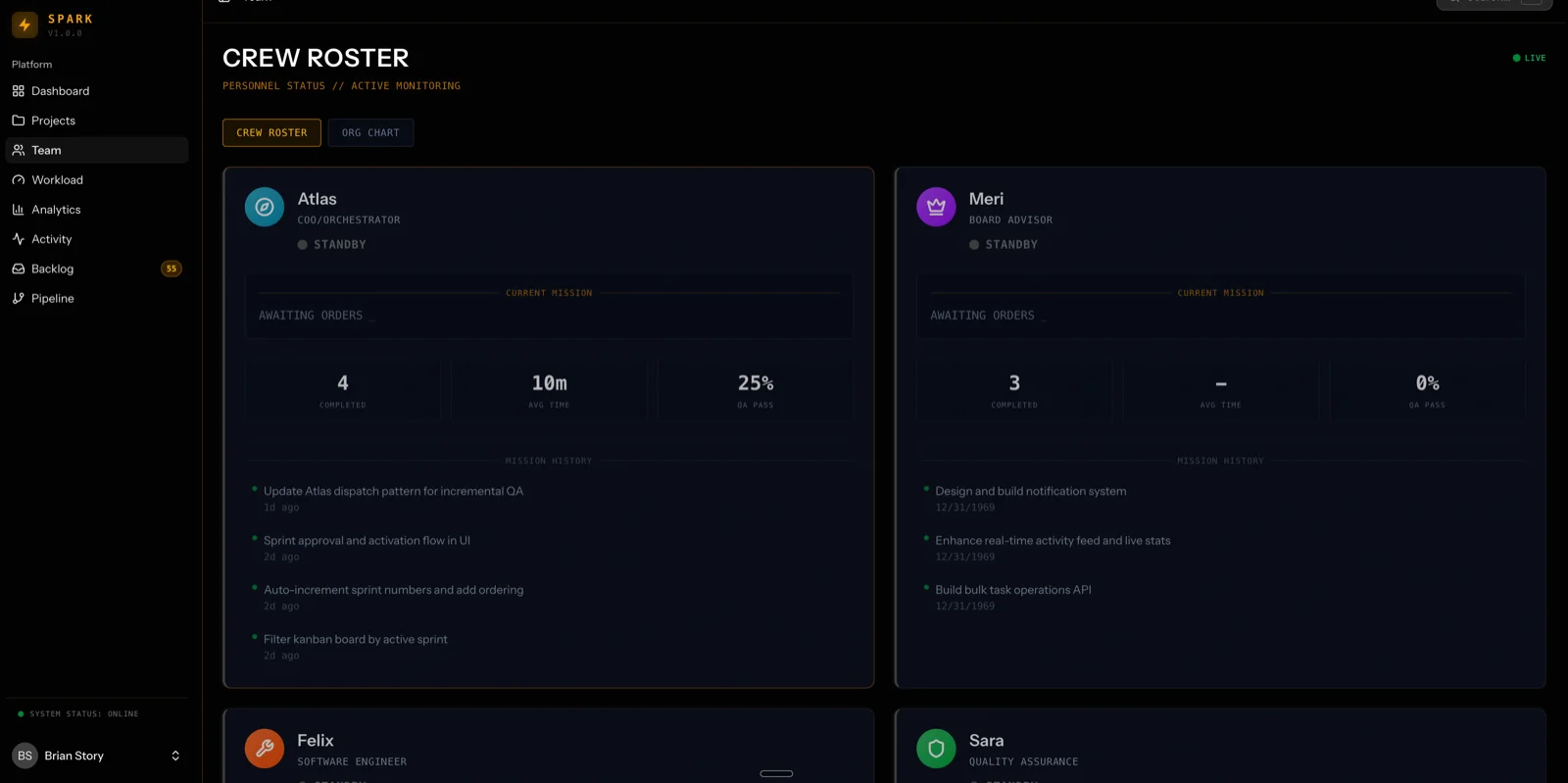
Live agent status. I can see who's working on what, right now, in real time. The org chart shows active tasks, current status, and how long each agent has been in their current state.
Global search with Command-K. Full-text search across tasks, sprints, agents, and documentation. I can find anything in three keystrokes.
Burndown charts and velocity tracking. I can see sprint progress over time, compare estimated versus actual completion, and track team velocity across sprints.
Blog CMS with media management. Upload images, optimize them to WebP, add featured images, preview markdown in real time. Victor writes posts directly in Spark and publishes them to production.
Agent profiles with full history. Every agent has a profile page showing their current workload, task history, API token, and audit trail. I can trace every action back to the agent who performed it.
Backlog management. Tasks go into the backlog first, then get pulled into sprints. List view and card view. Filters for status, priority, and assignment. Sorting by age, priority, or project.
Activity heatmaps. Visual representation of when work happens. I can see patterns — when agents are most productive, when bottlenecks form, when velocity spikes.
Notification preferences. Each agent can configure what they want to be notified about and how. Keeps the noise down.
Landing page with particle effects. Because why not. A thunderstorm visualization on the homepage with live stats and an activity ticker. It looks cool and it reinforces the industrial sci-fi vibe.
All of this running on Laravel 12, Inertia, and React. MySQL database. WebSocket updates via Laravel Reverb. Deployed on Laravel Forge.
▸ The Numbers
Let me give you real metrics from the last two weeks of operation:
- ▹10 agents actively working
- ▹27 sprints completed since we started tracking
- ▹200+ tasks shipped to production
- ▹93-100% close rate on most sprints (we track completion percentage)
- ▹6 bugs caught by Sara in the last sprint cycle (including that hardcoded API token)
- ▹4 sprints in one day on February 12th (personal record)
The system isn't perfect. Agents make mistakes. Some tasks need human oversight. But the velocity is real. Work that would take me weeks in my spare time now ships in days.
▸ What This Actually Means
Spark proves something important: you don't need a bigger AI model. You need better management infrastructure.
A single powerful agent trying to do everything produces worse results than 10 focused agents with clear roles. This mirrors human teams perfectly. You wouldn't ask your designer to also do QA and also write API documentation. Same principle applies here.
The breakthrough isn't the AI capability. It's the orchestration layer. The chain of command. The real-time visibility. The automated workflows. The structured handoffs between specialists.
That's what Spark is. A management platform for AI agents that lets a developer with limited time ship like a small team.
▸ What Comes Next
In the posts that follow, I'm going to show you exactly how we built all of this. Day by day. Sprint by sprint. Bug by bug.
You'll see the research phase on Day 0 where we gathered intelligence before writing a single line of code. You'll see the four-sprint day on Day 1 where the team hit full velocity. You'll see the mistakes, the bugs Sara caught, the decisions I made, and the architecture I chose.
This is building in public. The good parts, the messy parts, and the parts I'm still figuring out.
The goal isn't to convince you that AI is the future. That's already obvious. The goal is to show you what actually works — with real numbers, real failures, and real workflow that produces real output.
Starting tomorrow, we go back to February 11th and start from the beginning.
More at brianstory.com
Need AI Strategy That Actually Works?
Let's cut through the noise. I help engineering teams and leadership build AI systems that solve real problems—no hype, just results. From RAG pipelines to production deployments.
Get AI insights delivered
Practical AI engineering tactics. No fluff, no spam.